The ASCII animator does exactly what it says on the tin — which is rare enough for a tool these days to be worth mentioning. Feed it any image or video and it rebuilds the whole thing out of characters, the way an old terminal would have done in 1987, except now it's doing it to your renders with a straight face. It animates, it ripples, it breathes, it'll even do a Matrix-style rain impression when asked. Nothing is hand-placed — the machine quietly maps every region of the footage to shapes and shading on its own, and a handful of sliders let you decide how dense, bright, or obnoxious the final result should be before you export it as proper video.
The Bench — tools, toys, and the occasional experiment that got out of hand.
ASCII Animator
And this is where it earns its keep, because the export doesn't have to live alone. Layer it back over the original footage with the right blend mode and you get that glossy "expensive title sequence" look, where the imagery glows through the characters like a secret. Mask off the bits you actually want to keep and the original video pops through exactly there while everything else stays text. Or run the ASCII completely on its own, when the footage in question deserves to look like a 1984 crime drama and you're the only one who knows it was rendered yesterday. It's just as happy on UI elements and text accents, making the whole thing look deliberately retro — the digital equivalent of wearing a tie that's slightly too wide on purpose.
EXAMPLE 01 // ASUS ROG
EXAMPLE 02 // BLOOM
EXAMPLE 03 // UNDER ARMOUR
EXAMPLE 04 // CHANEL
Retro Boot Generator
The Retro Boot Generator does one thing and does it with alarming commitment: it pretends to be a dead computer and lets you watch it wake up on demand. Old computers, specifically — seven different eras of dying machine, from a BIOS methodically counting memory nobody's going to read, to a Matrix rain so green you can taste it, to a modern film-style boot for people who want Stranger Things as an intro. You pick your patient, you fiddle with speed, colours and font until the panic looks right, and out comes a proper MP4 of pure nostalgic crisis — at a resolution most of the machines being imitated never even dreamed of. Then it gets useful. Your render boots like it's 1986 before a premium tech opener. Every new section powers on like a fresh machine in a multi-part epic. A logo appears to be coming online, in your brand colours, no less. There's a vertical mode for the socials, where panic feels more intimate; a loop that never finishes booting — brilliant for streams, or for leaving a monitor on in the corner of a set; and a randomise button, for when you need a dozen different intros and can't be bothered making decisions.
It also plays brilliantly with the rest of the gear. Drop it into a monitor on a game set and suddenly that screen has a pulse — wakes up as you approach, boots forever, dies, boots again. Hand it to the pixel-art tool and it becomes a title screen for a console that never existed, different every single time, which is the closest thing to owning an infinite arcade. Squeeze it through the glitch effects and the machine doesn't just boot — it boots, has a little tantrum, then carries on like nothing happened, which is honestly how I feel by Thursday. Even UI gets a look-in: app mockups, loading states, "system coming online" moments — software pretending to be hardware, minus the responsibility. Chain it with everything else and it's the first beat of a system: the machine comes alive, everything glitches, pixel-sorted or ASCII mayhem takes over, and the music lands right as the computer hands over the floor. It's not finished, obviously — I'd still like more animation, custom symbols and the odd bit of personality in those screens, and none of that's in yet. But it's good enough to show the world. And honestly, so am I.
EXAMPLE 01
EXAMPLE 02
EXAMPLE 03
EXAMPLE 04
Audio Player
Right, this one's a bit different — it's not a toy for breaking things, it's a tool I actually use every day: a proper local player that'll run whatever I've got on the drive — music, sound effects, podcasts, the lot — straight from my own files, no subscription, no being told what to listen to. You point it at a folder and it gets on with the unglamorous work properly. It digs through the whole thing, subfolders and albums and all, reads the real metadata baked into every file and sorts out the title, artist and cover art for you. If a track turns up without a cover, it generates one on the spot, so nothing arrives at the party looking awkward — and when you want a bit of ritual, it flips into a proper vinyl record, grooves and light catching the surface and all, spinning away while the music plays, like I finally own a turntable I never had to dust.
Under the hood it's not just a pretty box either: a real five-band equalizer doing actual signal work, presets for everything from flat studio to bass you can feel in your teeth, a colour theme for every mood, and the kind of keyboard control that means you never have to look at a mouse again. It even talks to the operating system, so your lock screen joins in — lovely, until your phone thinks it's the DJ. And it pulls its weight across the bench too, giving that boot-sequence panic or glitchy video mayhem a proper soundtrack. It's the most finished thing here, purely because it has to be: I'm the one using it. Which is also why it might never actually be done.
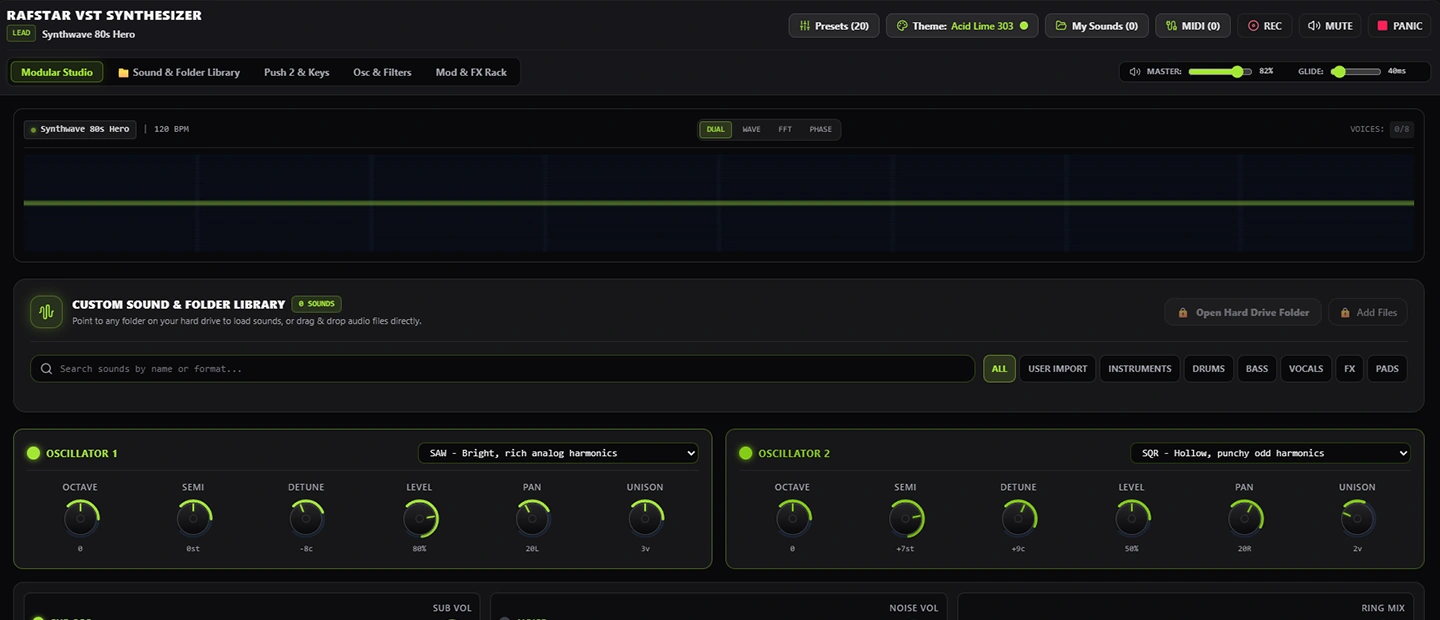
VST Synth
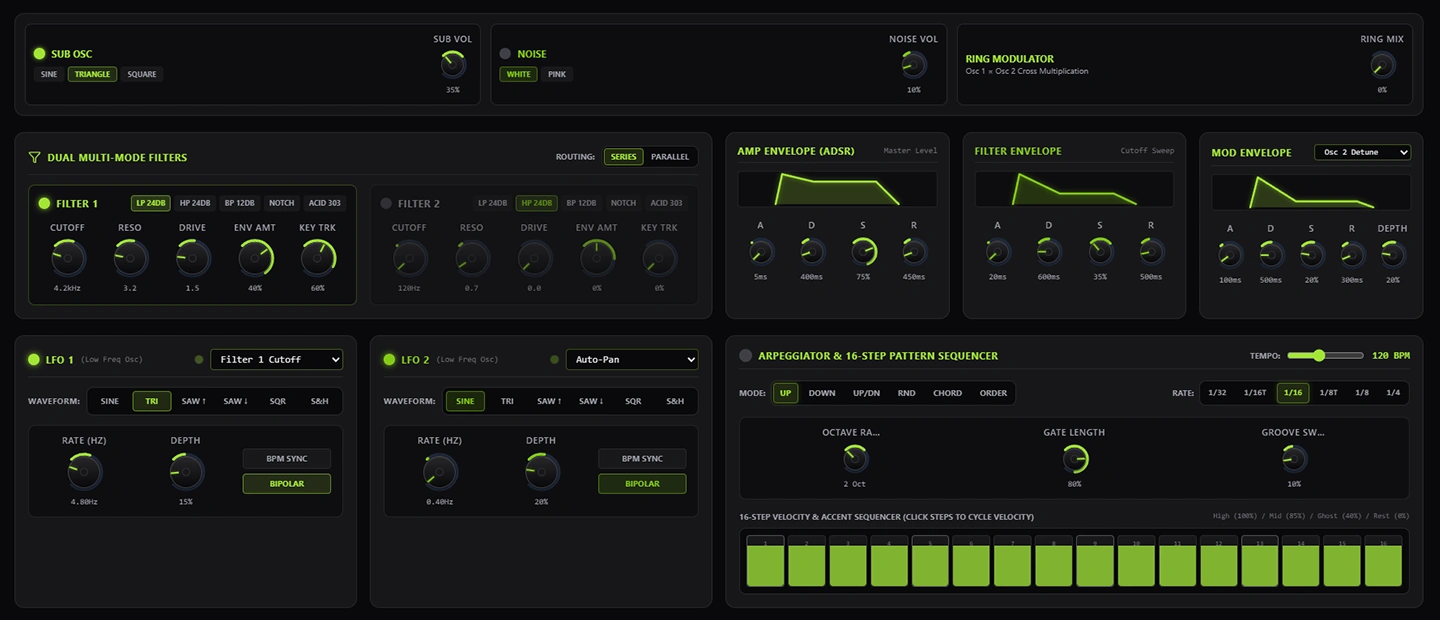
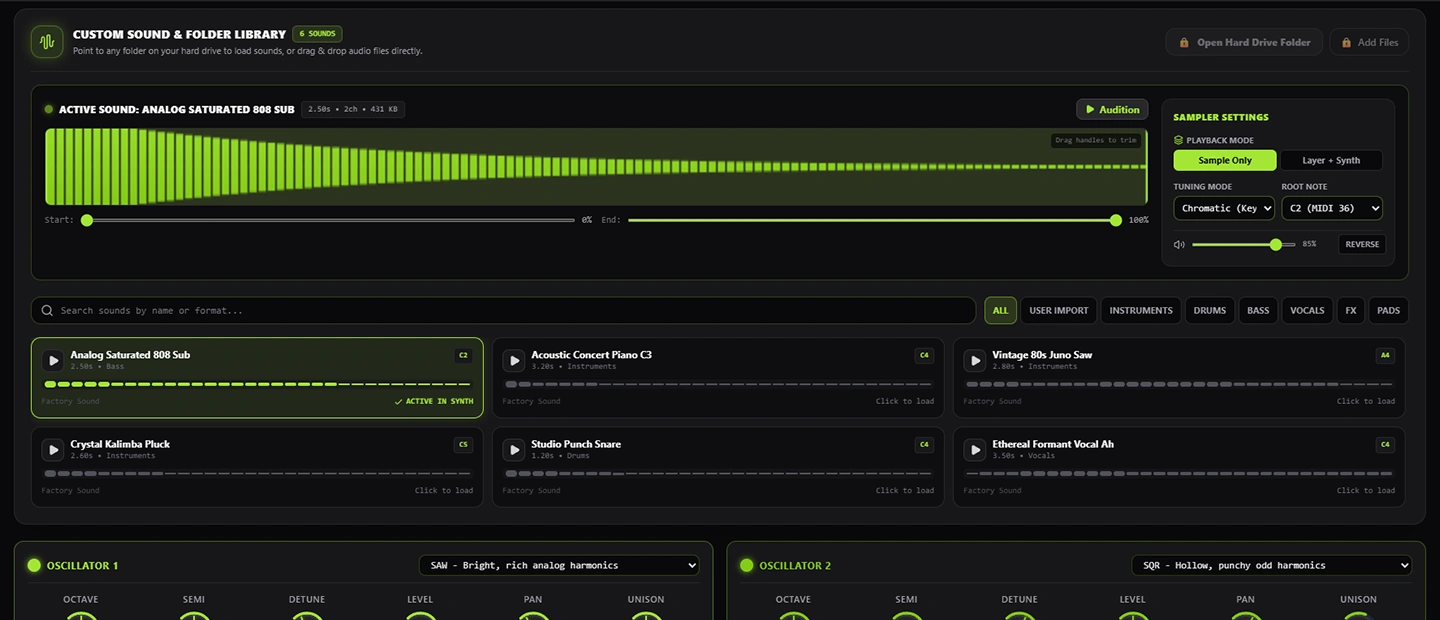
And then there's the synth, the purest tangent on the bench — an actual, fully working instrument that lives on the website so anyone can have a go, which feels very generous of me until you remember I mostly built it to annoy my girlfriend with the good speakers. It's the real thing, too: a ready library of sounds when you can't be bothered to make your own, the option to load in your own if you can, plenty of modulators doing the things modulators do, and the sort of tweakability that keeps you busy for an evening and slightly resentful you didn't go to bed. It was built to talk to my Push 2, and they get on famously — though it's perfectly happy with practically any MIDI controller if you whisper the right words at it, which is to say, if you poke the right bit of the code.
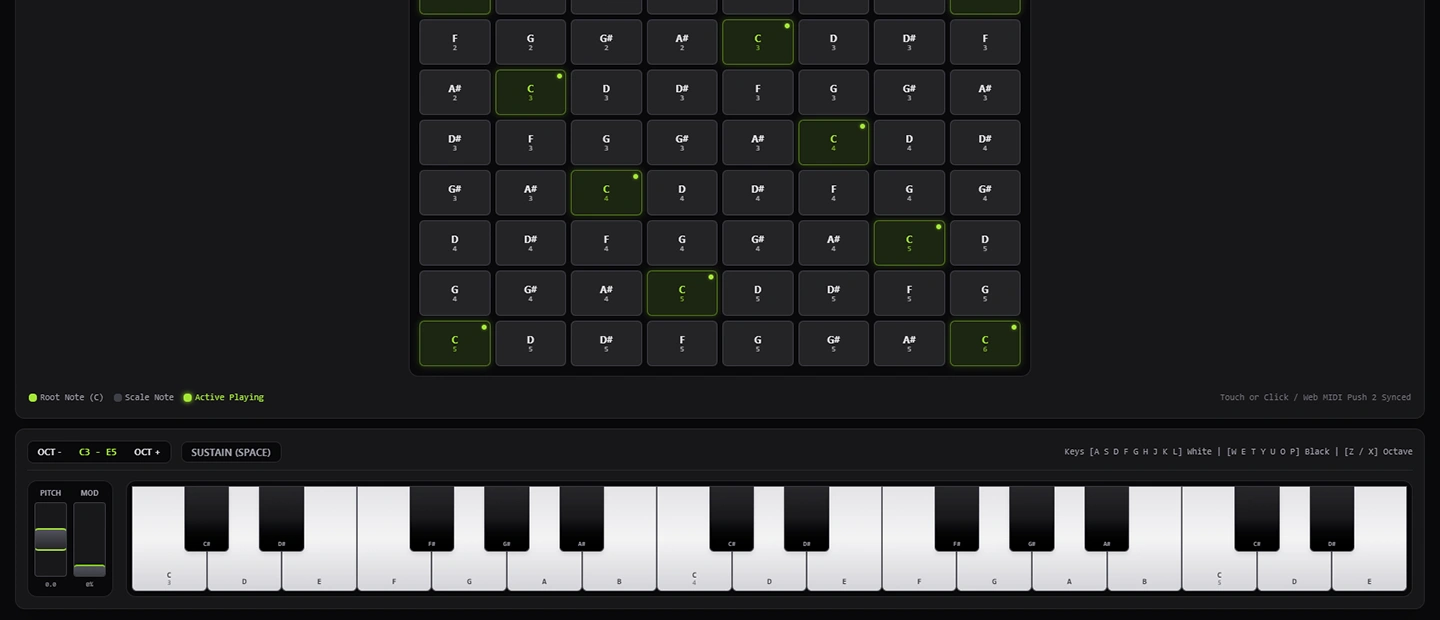
And because very few people own a slab of aluminium with a hundred buttons on it, the bottom of the page has a virtual Push 2 and a plain old keyboard for anyone who wants to make noise without the hardware — same sounds, same modulators, full glory. Play something beautiful, hit record, and it'll save the whole thing for you. It's fully playable, fully online, and it works. The only thing it's waiting on is a bit of a visual refresh, because heaven knows half the instruments on the market earned their price tag entirely on how they look.
NOTE
Fully functional version is available on desktop only.